


Introduction
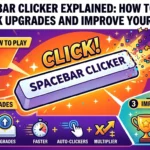
Some games require complex controls, detailed strategies and hours of practice. Spacebar Clicker takes a much simpler approach: press the spacebar, collect points, purchase upgrades and watch your score grow. This straightforward gameplay makes it easy for beginners to understand while giving returning players a reason to beat their previous records.
Spacebar Clicker is commonly described as a browser-based idle or incremental game. Depending on the version you choose, you may be able to increase the value of each press, unlock automatic helpers, earn points over time or activate special bonuses. The version hosted by Poki, for example, includes automatic helpers, keyboard upgrades, combo mode and achievements. Other versions offer different upgrade systems and progress-saving options.
This guide explains how the game works, how to get started, which strategies can help you progress and what to check before choosing a version to play.
Quick Answer: What Is Spacebar Clicker?
| Question | Answer |
|---|---|
| What is Spacebar Clicker? | A browser game built around pressing the spacebar to earn points and unlock upgrades. |
| How do you play? | Press the spacebar or use the on-screen button to collect points. |
| What are upgrades for? | Depending on the version, upgrades can increase points per press or generate points automatically. |
| Can you play without a keyboard? | Many versions support mouse clicks or touchscreen taps. |
| Is it an idle game? | Yes, versions with automatic point generators include idle-game mechanics. |
| Do all versions have the same features? | No. Upgrade names, bonuses, saving methods and other features can differ. |
1. What Is Spacebar Clicker?
Spacebar Clicker is a simple clicking game in which players repeatedly press a keyboard key or use an on-screen control to increase a score. The basic objective is easy to understand, but upgrades can introduce a longer progression system.
At the beginning, progress usually depends on your own inputs. As you collect enough points, the game may let you purchase upgrades that improve your manual clicking power or generate additional points automatically.
This creates a rewarding gameplay cycle:
- Press: Use the spacebar to earn points.
- Collect: Build a larger point total.
- Upgrade: Spend points on improvements.
- Automate: Unlock helpers or generators where available.
- Repeat: Continue growing your score and working towards new milestones.
Why Is the Game Popular With Casual Players?
One reason is its low learning curve. You do not need to memorise a long list of controls before starting, and the score usually changes immediately after a successful press.
Another attraction is progression. A small number of points might seem insignificant at first, but upgrades can make later gains much faster. The combination of immediate feedback and gradual improvement is common across incremental games.
Players can also approach the game in different ways. Some enjoy pressing the key as quickly as possible, while others focus on choosing upgrades and letting automatic production do more of the work.
2. How to Play Spacebar Clicker
Most versions are straightforward to start. However, the precise interface and available features depend on the website hosting the game.
Step 1: Open a Game Version
Choose a website that hosts Spacebar Clicker. Read the page instructions and check that the game interface loads properly before you begin.
For example, Poki’s Spacebar Clicker page describes keyboard, mouse and mobile controls. The GitLab Pages version also provides an on-screen spacebar and an upgrade interface.
Step 2: Press the Spacebar
On a desktop or laptop, press the spacebar to earn points. If the game does not respond, click inside the game area first and try again.
Some websites display a large virtual spacebar. You can click this button with a mouse if you prefer not to use your physical keyboard.
Step 3: Watch Your Score
Keep an eye on the score counter as you play. Depending on the version, the interface may also display points per press, clicks per second, automatic production or your best score.
These figures help you understand whether your actions and upgrades are increasing your rate of progress.
Step 4: Purchase Available Upgrades
Once you have collected enough points, check the upgrade shop. Early improvements may increase the value of manual presses or unlock an automatic helper.
Read the price and benefit of each item before spending your points. A more expensive upgrade is not necessarily the best immediate choice if a cheaper purchase would increase your earnings sooner.
Step 5: Combine Manual Clicking With Automation
If your version includes automatic point generation, continue pressing the spacebar while your upgrades produce points. This approach combines active play with passive progress.
Eventually, you may find that automatic production contributes more to your score than individual presses. At that stage, choosing upgrades carefully can matter as much as clicking quickly.
3. Understanding Points, CPS and Upgrades
Knowing what the numbers on the screen mean can help you make better decisions.
Points
Points are the main resource in most Spacebar Clicker versions. You earn them by pressing the spacebar, clicking the on-screen control or receiving automatic production.
The game usually allows you to spend these points on upgrades. As prices increase, you may need to balance short-term improvements against saving for a more powerful option.
CPS: Clicks Per Second
CPS stands for clicks per second. It describes how many clicking inputs occur per second in a measurement period. Some games use this term to show manual clicking speed, while others also display a separate rate for automatic production.
Check the labels on your chosen game rather than assuming that every counter measures the same thing. For example, a total score measures accumulated points, whereas a CPS figure describes a rate.
Manual Clicking Upgrades
Manual upgrades improve the value of your own presses. In the Poki version, keyboard upgrades can double the points earned per press, while other improvements affect critical-hit chances or rewards.
These upgrades can be useful when you prefer active play and want each input to produce a greater return.
Automatic Helpers
Automatic helpers generate points without requiring you to press the key for every point. Their names and production rates depend on the game version.
Poki’s version includes helpers such as Sleepy Ant and Boomer Mom. Other versions use different characters or upgrade names, so you should not expect identical items across every website.
Multipliers and Bonuses
Some editions provide temporary bonuses, combo modes or special achievements. Such features can increase the number of points earned from individual actions or reward players for reaching certain milestones.
If your version includes a timed bonus, try to use it while you can actively play. This may help you collect points more quickly, depending on how that specific bonus works.
4. Best Strategies to Improve Your Spacebar Clicker Score
You do not need complicated tactics to make progress. A few practical habits can help you use your time and points more effectively.
Start With a Short Burst of Manual Clicking
At the beginning, you may not have enough points to purchase meaningful upgrades. A short period of consistent clicking can help you build your initial balance.
Once you have enough points for an affordable upgrade, compare its benefit with the cost of saving for another option. The right decision depends on the game’s upgrade prices and production rates.
Prioritise Upgrades That Improve Progress
Avoid buying items simply because they appear new. Instead, consider how much additional production each purchase provides and how quickly it might pay for itself.
For example, imagine an upgrade costs 100 points and generates 10 additional points per second. Ignoring other effects, it would generate an amount equal to its cost in 10 seconds. An upgrade costing 200 points and producing the same additional rate would take 20 seconds to reach that amount.
These calculations are simplified examples, not fixed values from a particular Spacebar Clicker version. They illustrate why comparing cost with added production can help you make informed choices.
Balance Manual Power and Automatic Production
Manual upgrades may be useful when you are actively playing. Automatic helpers can be more convenient when you want your score to increase without continuous pressing.
Rather than investing everything in one type of upgrade automatically, compare the available benefits. Your best choice can change as you unlock more powerful options.
Watch for Temporary Bonuses
If your game includes combo mode, multipliers or timed events, check how they activate and how long they last.
A bonus that increases the value of every press may be especially useful when you are ready to click actively. However, do not assume that all versions offer the same multiplier or cooldown.
Track Your Progress
Use the displayed score and production figures to judge whether your strategy is working. If the game includes a personal-best counter, try to beat your previous result without turning every session into an endurance challenge.
Short sessions can be useful because they let you experiment with upgrades and compare results without excessive repetition.
Take Breaks When Your Fingers Feel Tired
Repeated key pressing can become uncomfortable during long sessions. Relax your hands, maintain a comfortable wrist position and stop if you notice pain or numbness.
A game score is not worth pushing through discomfort. Consistent, comfortable play is a better approach than trying to maximise every second.
5. Common Features in Spacebar Clicker Games
Although the core concept stays similar, the details vary between versions.
| Feature | What It Does |
|---|---|
| Manual clicking | Adds points when you press the spacebar or use an on-screen button. |
| Upgrade shop | Lets you spend points on improvements. |
| Automatic helpers | Generate points without continuous manual input. |
| Point multipliers | Increase the value of eligible actions. |
| Combo mode | Provides a temporary reward for meeting the game’s conditions. |
| Achievements | Recognise milestones or completed objectives. |
| Personal-best score | Records a high score in versions that support it. |
| Progress saving | Preserves progress according to the site’s saving system. |
The table describes features that may appear across different editions, not a guarantee that every version includes them.
Does Spacebar Clicker Have an Ending?
That depends on the version and how it is designed. Some clicker games focus on unlocking a final upgrade, while others allow players to keep accumulating points indefinitely.
Even when a game has a final unlock, reaching it does not necessarily mean that scoring stops. Check the version’s own instructions if you want to know whether it has a defined ending or a continuing progression system.
6. Spacebar Clicker vs a Spacebar Counter
These tools may sound similar, but their main purposes differ.
A spacebar clicker is a game in which pressing the key earns points and may unlock upgrades. A spacebar counter, on the other hand, primarily records how many times you press the key.
| Comparison | Spacebar Clicker | Spacebar Counter |
|---|---|---|
| Main purpose | Play a score-based game | Count key presses |
| Points and upgrades | Common in idle-game versions | Usually not included |
| Automatic production | Available in some versions | Usually not included |
| Speed measurement | May display CPS | Depends on the tool |
| Typical use | Entertainment and progression | Counting or testing input |
If you want to improve a game score, a clicker is the more suitable choice. For a simple test of how many times you can press a key within a set period, a dedicated spacebar counter or speed test may be more appropriate.
7. Can You Play Spacebar Clicker on Mobile?
Yes, many versions support mobile phones and tablets through an on-screen button. This makes the basic gameplay accessible even when your device does not have a physical keyboard.
To get started on mobile:
- Open a version that supports your browser and device.
- Wait for the game interface to load.
- Tap the displayed spacebar or clicking area.
- Check your score and purchase available upgrades.
- Rotate your device if needed to make the controls easier to use.
The experience may differ from desktop play. A physical keyboard offers a different input method, while touchscreen play depends on the responsiveness and layout of the on-screen control.
If the game does not respond properly, refresh the page or try a current version of your browser.
8. Common Spacebar Clicker Problems and How to Fix Them
Occasionally, the game may fail to register presses or preserve progress. These steps can help you identify common causes.
The Spacebar Does Not Work
First, click inside the game area to make sure it can receive keyboard input. Press the spacebar again and check whether the score changes.
If the key still does not work, test it in another application or try the on-screen button. This can help you determine whether the issue comes from the keyboard or the game page.
The Game Does Not Load
Check your internet connection and reload the page. If the problem continues, try another browser or temporarily disable an extension that may interfere with the game.
You can also check whether the hosting website is available. A problem with one website does not necessarily mean that every version of Spacebar Clicker is unavailable.
My Progress Has Disappeared
Saving methods vary between versions. Some games store progress locally in your browser, while others may offer an account-based system or a manual save option.
Before closing the game, check whether it has a Save button or a stated automatic-save feature. Clearing browser data, using private browsing or switching devices may affect locally stored progress.
The Game Is Blocked
Some school and workplace networks restrict access to gaming websites. Whether a particular game loads depends on the network’s rules and settings.
Follow the applicable rules instead of trying to bypass restrictions. If you are using a personal device and network, you can check the game’s official hosting page for availability.
9. Is Spacebar Clicker Safe to Play?
A basic browser clicker game generally requires little personal information, but the safety of your experience also depends on the website hosting it.
Before playing, keep the following points in mind:
- Use a site you trust. Check the address carefully and avoid suspicious copies.
- Avoid unnecessary downloads. A browser game should not require you to install an unknown file just to press a key.
- Review permission requests. Be cautious if a simple game requests access that does not appear necessary for gameplay.
- Protect personal details. Do not provide sensitive information merely to save a score unless you understand why it is required.
- Check saving and privacy information. A site’s privacy policy can explain what information it collects and how it handles stored progress.
- Be careful with misleading buttons. Advertisements and download prompts can sometimes resemble game controls.
Spacebar Clicker can be a simple entertainment option, but no single safety statement applies to every website using the same game name. Evaluate the specific version you intend to use.
10. Final Thoughts
Spacebar Clicker shows how a simple idea can turn into an engaging game. Pressing a single key earns points, upgrades create new goals, and automatic helpers in some versions make progression possible without constant clicking.
For the best experience, learn the controls, compare upgrade benefits and choose a strategy that suits the version you are playing. Remember that the available features, saving methods and bonuses may differ between hosting websites.
Whether you want a quick casual game, a way to explore incremental-game mechanics or a personal score to beat, Spacebar Clicker offers a straightforward place to start. Choose a trustworthy version, play at a comfortable pace and enjoy seeing how far your score can grow.
What is Spacebar Clicker?
Spacebar Clicker is a browser-based game where players press the spacebar or use an on-screen control to earn points. Many versions include upgrades that improve manual clicking or generate points automatically.
How do I play Spacebar Clicker?
Open a version of the game, press the spacebar or click its on-screen button, and collect points. Once you have enough, purchase upgrades and continue building your score.
Is Spacebar Clicker free?
Several versions are available to play online without a purchase. However, pricing, advertising and other site conditions depend on the specific website hosting the game.
Can I play Spacebar Clicker without a keyboard?
Yes. Versions with an on-screen spacebar can often be played using a mouse or touchscreen. Check the game’s instructions to confirm which controls it supports.
What does CPS mean in Spacebar Clicker?
CPS means clicks per second. It measures clicking frequency, although individual games may calculate or display manual and automatic production differently.