



Introduction
Presentations are widely used to explain ideas, share research, teach new concepts and communicate business strategies. However, creating a presentation is only one part of the process. People also need a convenient way to publish their work, discover useful material and share information with a wider audience.
This is where SlideShare comes in.
SlideShare is an online platform for discovering, viewing, uploading and sharing presentations and other documents. Students can explore educational material, professionals can publish their expertise, and businesses can use presentations to communicate ideas and introduce their services.
The platform has also changed over time. SlideShare became part of LinkedIn in 2012 before Scribd acquired it in 2020. Today, it operates within the Scribd, Inc. family of products.
Whether you want to learn about a new subject, upload a PowerPoint presentation or use presentations as part of your content marketing strategy, understanding how SlideShare works can help you make better use of it.
This guide explains its features, benefits, limitations, account access, uploading process, download options and practical applications for students, professionals and businesses.
Quick Answer: What Is SlideShare?
SlideShare is an online presentation-sharing platform where users can discover and view presentations, publish their own material and share knowledge with other people.
It supports several document formats, including PowerPoint presentations, PDFs and Word documents. Its content covers subjects such as education, business, technology, marketing, professional development and research.
Browsing and uploading are available without a paid subscription, while certain features, including downloading presentations, require a subscription under the platform’s current access model. Features and pricing can change, so check the official website before subscribing.
1. What Is SlideShare?
SlideShare is a digital platform designed to help people publish and discover presentation-based content.
Instead of keeping a presentation only on a personal computer, users can upload compatible files and make them available online, subject to the platform’s settings and policies. Other visitors can then discover the material, view it and share its link.
The platform is useful because presentations often communicate information in a visual and structured format. A well-designed deck can explain a complicated concept through headings, diagrams, examples, charts and concise explanations.
For instance, a marketing professional might upload a presentation about search engine optimisation. A university student could publish a research summary, while a business consultant might share a framework for improving team productivity.
SlideShare therefore serves two related purposes: content discovery and knowledge sharing.
It is not the same as software designed primarily to create slides. Although presentation files can be prepared in tools such as PowerPoint or Google Slides, SlideShare’s main role is to host and distribute compatible content online.
You can explore the platform at SlideShare’s official website.
2. A Brief History of SlideShare
Understanding SlideShare’s history helps explain its current relationship with other digital platforms.
Launch and early development
SlideShare launched in 2006 as a way for people to upload and share presentations online. It developed a library of material covering business, education, technology and many other subjects.
As the platform grew, professionals and organisations began using it to distribute knowledge beyond traditional meetings and conferences.
Acquisition by LinkedIn
LinkedIn acquired SlideShare in May 2012. The combination made sense because both services served professional audiences, although they focused on different forms of content and interaction.
SlideShare helped people share presentations, while LinkedIn focused on professional profiles, networking and career development.
Acquisition by Scribd
In August 2020, LinkedIn announced that Scribd would acquire SlideShare. Scribd subsequently took over its operation in September 2020.
SlideShare continued operating as a presentation-sharing platform, while becoming part of a wider digital content business.
SlideShare today
SlideShare remains available online for discovering and publishing presentations. Its current offering includes free access to browse and upload content, alongside paid benefits such as downloading presentations and an ad-free experience.
Because platform ownership, account requirements and subscription benefits can change, users should consult current official information rather than relying entirely on older tutorials.
3. How Does SlideShare Work?
SlideShare connects people who want to share information with people who want to discover it.
The basic process involves three activities.
Discovering content
Users can search for a topic or browse available presentations. Results may include educational decks, business presentations, research summaries, visual guides and other documents.
For example, someone researching digital marketing could search for presentations about keyword research, content strategy or campaign measurement.
The quality of results depends on the topic, available content and relevance of each presentation.
Uploading content
Creators can upload supported documents through the platform’s upload interface. These may include PowerPoint files, PDFs and Word documents.
After preparing the document, the uploader can provide relevant information such as its title and description, where available, and review its visibility settings before publishing.
The content must comply with SlideShare’s terms and intellectual property requirements.
Sharing content
Once a presentation is published, its page can be shared with other people. SlideShare also supports embedding presentations on compatible websites, allowing publishers to display their content outside the platform.
This makes it possible to use one presentation across several channels, provided the sharing method and content permissions allow it.
4. Key Features of SlideShare
SlideShare combines presentation publishing with content discovery. Its main features include the following.
Presentation hosting
Users can upload compatible files and make them accessible online. This reduces the need to send large presentation attachments to every person who wants to view them.
Search and content discovery
The platform helps users find presentations related to their interests. Searching by subject or using specific keywords can make it easier to locate relevant material.
Multiple supported file formats
SlideShare’s upload page lists PowerPoint formats such as PPT and PPTX, as well as PDF and Word document formats. Check the upload interface for the latest supported file types and requirements.
Sharing and embedding
Published presentations can be shared through links. Embedding options also allow compatible presentations to appear on external websites and blogs.
Professional knowledge sharing
The platform enables authors to publish information about their areas of expertise. Professionals can use presentations to explain a process, summarise research or share lessons from a project.
Educational resources
Students, educators and independent learners can explore presentation-based explanations of different subjects. The usefulness of each resource depends on its accuracy, clarity and relevance.
Subscription-based features
Some features are restricted to paying subscribers. The current platform advertises benefits such as presentation downloads, ad-free browsing and additional content-related tools. Exact benefits, eligibility and prices should be confirmed on the official site.
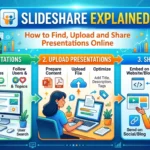
5. How to Create a SlideShare Account
If you want to upload presentations or manage your content, you may need to create or access an account.
Follow these steps.
Step 1: Open the official website.
Visit www.slideshare.net.
Step 2: Select the sign-in or account option.
Use the account interface shown on the website. SlideShare’s account experience is now connected with Scribd, so follow the current instructions displayed during registration or sign-in.
Step 3: Enter your details.
Provide the information requested by the official account flow. If you already have an eligible account, follow the instructions for signing in or connecting it.
Step 4: Complete any verification.
If the service requests email verification or another account-security step, complete it through the official interface.
Step 5: Review your account settings.
Check your profile information, privacy settings and available account options before uploading content.
According to Scribd’s Help Center, accessing SlideShare’s full feature set requires a Scribd account, while browsing and uploading remain available without a paid subscription.
Account requirements may evolve, so use the current instructions shown on SlideShare rather than relying on older sign-in guides.
6. How to Upload a Presentation to SlideShare
Uploading a presentation can help you distribute knowledge, make educational content available online or share professional work.
Here is a practical process.
Step 1: Prepare your presentation
Create your slides in PowerPoint or another compatible application. Make sure the presentation has a clear structure and that the text, charts and images are easy to understand.
A strong presentation usually includes:
- A clear title and purpose.
- Logical sections and concise explanations.
- Readable text and consistent formatting.
- Relevant examples, charts or illustrations.
- A final slide summarising the key points.
Step 2: Save the file in a supported format
SlideShare accepts formats including PPT, PPTX, PPSX, POTX, PDF, DOC and DOCX, according to its upload page. Check the current file requirements before proceeding.
PDF can be useful when you want the layout to remain consistent across different devices. However, check the resulting document for readability before publishing it.
Step 3: Open the upload page
Visit SlideShare’s upload page.
Choose the file you want to publish or use an available cloud import option if it suits your workflow.
Step 4: Add the file
Select your presentation and wait for the upload process to finish. Upload time may depend on file size and your internet connection.
Step 5: Review the presentation details
Where the interface provides these options, enter a descriptive title, a useful summary and relevant topic information.
Avoid vague titles such as “Presentation 1”. A specific title makes the subject clearer to readers.
Step 6: Check visibility and permissions
Review the available publishing and visibility settings. Do not assume that a presentation is private simply because it has not been widely shared.
Remove confidential information, personal data and material you do not have permission to publish.
Step 7: Publish and check the result
Once the upload is complete, open the published page and inspect the presentation. Check for missing text, formatting errors and unreadable diagrams.
Finally, share the presentation link with your intended audience.
7. How to Download Presentations From SlideShare
SlideShare contains educational and professional material that readers may want to save for later reference.
However, downloading is subject to the platform’s current access rules.
Understand the available access options
SlideShare allows users to browse and view content without a paid subscription. Its current website lists downloading presentations as a subscription benefit.
Consequently, a download option may not be available to every visitor.
Follow these steps
- Open the presentation you want to access.
- Review its description and the publisher’s information.
- Look for an official download option.
- If the platform requires a subscription, review the current price and terms before deciding whether to subscribe.
- Save the file only through an authorised method.
If downloading is unavailable, you may still be able to read the presentation online or contact the creator to request an authorised copy.
Avoid third-party services that promise to bypass access restrictions. They may introduce security risks or violate platform rules.
Respect copyright
A presentation being visible online does not automatically make it free to reuse.
You may be able to view content for personal learning while still needing permission to reproduce it, distribute it or use its images in your own commercial work.
Check the licence or permission terms and seek the creator’s authorisation when necessary.
8. Who Can Benefit From SlideShare?
SlideShare can be useful for people who want to learn from presentations or share their own knowledge.
Students
Students can explore presentations that summarise concepts, explain academic subjects or introduce research topics.
These resources may help with revision and idea generation. However, students should verify facts, consult primary sources and follow their institution’s academic integrity rules.
A presentation should not automatically be treated as a reliable academic reference merely because it appears online.
Teachers and educators
Educators can publish lesson summaries, visual explanations and learning resources for students.
Presentations can make complex ideas easier to understand when they use appropriate examples and clear visual organisation.
Teachers should also ensure that any shared material complies with copyright rules and institutional policies.
Business professionals
Professionals can use SlideShare to communicate project findings, explain strategies and share industry knowledge.
A consultant might publish a framework for business planning, while a manager could share a presentation outlining a process improvement.
The platform can extend the reach of material that might otherwise remain within a meeting room or internal document library.
Researchers and subject experts
Researchers can use presentations to introduce findings, summarise reports or explain a methodology to a broader audience.
However, a presentation may omit details found in the full research paper. Readers should consult the original study when they need methods, limitations or complete evidence.
Content creators and marketers
Marketers can transform useful blog content, research findings and educational resources into presentation formats.
For example, a detailed article about SEO can become a shorter presentation explaining keyword research, on-page optimisation and measurement.
This approach gives audiences another way to engage with the same subject.
9. How Businesses Can Use SlideShare
Businesses can use SlideShare to explain their expertise and distribute information that supports customer education.
Share industry knowledge
A company can publish presentations about common problems, industry trends or practical solutions.
For example, a digital marketing agency could create a deck explaining how businesses can measure website traffic and enquiries.
Educational content can demonstrate expertise without relying entirely on promotional messaging.
Support sales conversations
Sales teams often need concise material that explains a product, service or business process.
A public presentation can provide background information before a meeting. Nevertheless, sensitive proposals, confidential pricing and customer-specific information should be shared only through appropriate channels.
Repurpose existing content
Businesses do not always need to create every piece of content from scratch.
A detailed report, webinar or blog article can provide the foundation for a presentation. The material should be rewritten and reorganised for slides rather than copied without considering the new format.
Strengthen professional visibility
Publishing useful presentations can help professionals demonstrate what they know.
A well-structured presentation may become a resource that colleagues, prospects or industry peers discover when researching a topic.
However, visibility is not guaranteed. The outcome depends on content quality, demand, distribution and competition.
Support employee learning
Organisations can use presentations to communicate internal processes, explain new initiatives or introduce training topics.
Before publishing internal material on a public platform, review the organisation’s confidentiality and data-handling policies.
10. SlideShare for SEO and Content Marketing
SlideShare can support a broader content marketing strategy, particularly when a business already creates educational material.
However, it should be treated as one distribution channel rather than a guaranteed source of search rankings or leads.
Turn blog articles into presentations
A blog article may contain detailed explanations that are easier to digest when summarised visually.
For example, an article about Google Ads budgeting could become a presentation with slides covering campaign goals, cost factors, budget planning and performance measurement.
The presentation should offer a coherent experience of its own instead of simply repeating the article word for word.
Use descriptive titles
A clear title helps readers understand what the presentation covers.
Instead of using a vague title such as “Marketing Tips”, consider a more specific option like “Google Ads Budget Planning for Small Businesses”.
Use relevant keywords naturally. Repeating the same phrase excessively can make a title and description look unnatural.
Write a useful description
Explain the presentation’s purpose, intended audience and main topics. Include relevant search terms only where they accurately describe the content.
A strong description helps readers decide whether the presentation answers their question.
Add relevant website links where permitted
If the platform’s current interface and policies allow it, link to a relevant article or resource on your website.
The destination should provide additional value rather than sending visitors to an unrelated sales page.
Do not assume that every link will pass SEO authority or directly improve rankings. Search engines decide how links are interpreted, and results vary.
Embed presentations in related articles
SlideShare supports embedding presentations on external websites.
An embedded deck may help readers explore a subject visually without leaving your page.
Ensure that the presentation complements the article, loads properly and remains accessible on mobile devices.
Measure useful outcomes
If you are using SlideShare for marketing, measure outcomes that matter to your business.
These might include presentation views, relevant website visits, enquiries or engagement with related content, where such information is available.
A high view count alone does not prove that a presentation generated qualified leads or commercial results.
11. Advantages of SlideShare
SlideShare offers several benefits for content creators and readers.
Online accessibility: Published presentations can be viewed through a web browser, making it easier to share knowledge without sending a separate attachment to every reader.
Knowledge discovery: Users can explore content across different industries, subjects and professional fields.
Multiple content formats: Support for presentation and document files gives creators flexibility in how they prepare material.
Content distribution: Authors can share links to published presentations and use embedding options where supported.
Educational value: Visual explanations can help readers understand concepts and organise information.
Professional visibility: Experts can use presentations to demonstrate knowledge and introduce their ideas to a broader audience.
Content repurposing: Businesses can adapt existing research, articles and educational material into presentations for different audiences.
The value of these benefits depends on how useful the content is and how effectively it is distributed.
12. Limitations of SlideShare
Although SlideShare can be useful, it is not the right solution for every task.
Some features require payment
Browsing and uploading are available without a paid subscription, but downloads and certain other benefits are restricted under the current access model.
Check the current terms before subscribing, especially if you only need to download one presentation.
Content quality varies
Anyone can publish material subject to the platform’s rules, so the quality and accuracy of presentations differ.
Some decks may be well researched, while others may contain outdated information, unsupported claims or incomplete explanations.
Search results require evaluation
A presentation that appears near the top of a search result is not necessarily the most accurate or authoritative source.
Check the author, publication date, references and relevance before using its information.
Presentation format limits detail
Slides are designed to communicate information concisely. A deck may not include the full methodology, supporting evidence or qualifications that appear in a detailed report.
For important research, consult the original document.
Copyright restrictions still apply
Uploading or downloading a file does not automatically grant permission to reuse it commercially.
Creators must have appropriate rights to the content they publish, and readers should respect copyright and licence terms.
It is not a complete presentation editor
SlideShare’s core purpose is publishing and sharing presentations. If you need advanced slide creation, collaborative editing or detailed design controls, a dedicated presentation tool may be more suitable.
13. SlideShare vs Other Presentation Platforms
Different platforms support different stages of the presentation process.
| Platform | Main purpose | Best suited for |
|---|---|---|
| SlideShare | Publishing, discovering and sharing presentations | Public knowledge sharing and presentation discovery |
| Microsoft PowerPoint | Creating and editing slide decks | Detailed presentation design and business presentations |
| Google Slides | Creating and collaborating on presentations online | Team editing and cloud-based workflows |
| Canva | Designing visual presentations and other creative assets | Branded, visually rich presentations |
| Prezi | Creating presentations with a distinctive zoom-based format | Dynamic visual storytelling |
These platforms are not direct substitutes in every situation. PowerPoint, Google Slides and Canva can help you create content, while SlideShare focuses on making compatible material available for people to discover and view.
A practical workflow might involve creating a presentation in PowerPoint or Canva and then publishing the finished file on SlideShare.
The right combination depends on your design needs, collaboration requirements, budget and intended audience.
14. Tips for Creating Effective SlideShare Presentations
A useful presentation needs more than attractive colours and large headings. It should deliver information in a logical and accessible way.
Start with a specific purpose
Decide what the audience should learn or understand after viewing the presentation.
A deck designed to explain a concept may require a different structure from one intended to compare products or communicate research findings.
Organise the information logically
A useful structure might include an introduction, the main problem, supporting information, practical recommendations and a summary.
Each slide should contribute to the overall message.
Keep text readable
Avoid filling slides with long paragraphs. Use concise explanations, clear headings and enough spacing to make the material easy to scan.
When more detail is necessary, consider linking to a longer article or report where permitted.
Use visuals with a purpose
Charts, diagrams and illustrations can clarify a concept when they are relevant and labelled properly.
Do not add decorative visuals that distract from the information or misrepresent the data.
Cite your sources
If you use statistics, research findings or material created by other people, identify the sources appropriately.
This helps readers verify important claims and shows respect for the work of other creators.
Check the final file
Review the presentation before uploading it. Look for spelling errors, missing content, incorrect figures and formatting problems.
Also check that charts and text remain readable when the file is viewed on different screens.
Use a descriptive title
Choose a title that accurately represents the content. Relevant keywords can help people discover your presentation, but clarity should come before keyword repetition.
Provide a useful next step
Where appropriate, conclude with a summary, a question for reflection or a link to a relevant resource.
The next step should match the audience’s needs rather than relying on an unrelated promotional message.
15. Final Thoughts
SlideShare remains a useful option for people who want to discover presentations, share professional knowledge and distribute educational content online.
Students can use it to explore ideas, professionals can share their expertise, and businesses can repurpose useful information into presentation-based content. Its search and sharing features make it easier to find and distribute material across different subjects.
However, users should understand its limitations. Not every presentation is reliable, some features require a subscription, and content available online is not automatically free to reproduce or redistribute.
The most effective approach is to use SlideShare for what it does best: making presentations accessible and helping people discover knowledge. Create clear, useful content, verify information before relying on it, respect copyright and check the platform’s current terms before using paid features.
With these practices, SlideShare can become a valuable part of a learning, professional development or content marketing strategy.
What is SlideShare used for?
SlideShare is used to discover, view, upload and share presentations and other documents. It supports educational resources, business material, research summaries and professional knowledge sharing.
Is SlideShare free to use?
Browsing and uploading are available without a paid subscription. Some features, including downloading presentations and ad-free browsing, require a subscription under the current model. Check the official website for current terms and pricing.
Who owns SlideShare?
SlideShare became part of LinkedIn in 2012. Scribd acquired it in 2020, and it now operates within the Scribd, Inc. family of products.
How do I upload a presentation to SlideShare?
Visit the official upload page, select a supported file, provide the requested details, review the available settings and publish the presentation. Check the resulting page to make sure the content displays correctly.
Can I download presentations from SlideShare?
Downloading is available as a paid feature under the platform’s current offering. Access depends on the current subscription terms and the content involved. Use authorised download options rather than attempting to bypass restrictions.